Our Software
-
On the Vessel
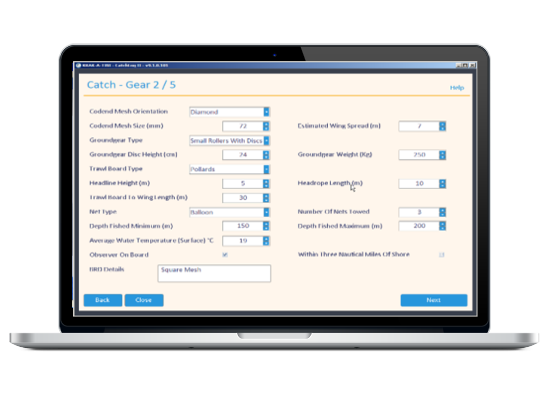
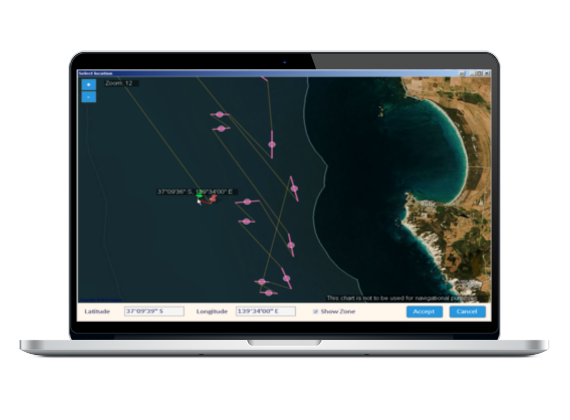
CatchLog provides quick and easy way to fill and submit electronic log books. Further features include reporting, maps, GPS tracking and more.
-
In the Office
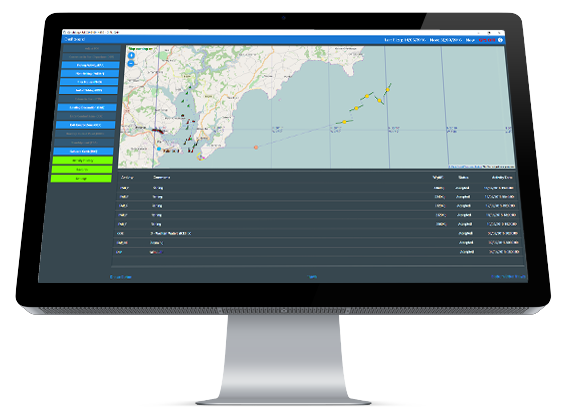
FleetManager aggregates all the data from your vessels providing you with accurate and update information allowing you to manage your business more effectively.
-
At the Authority
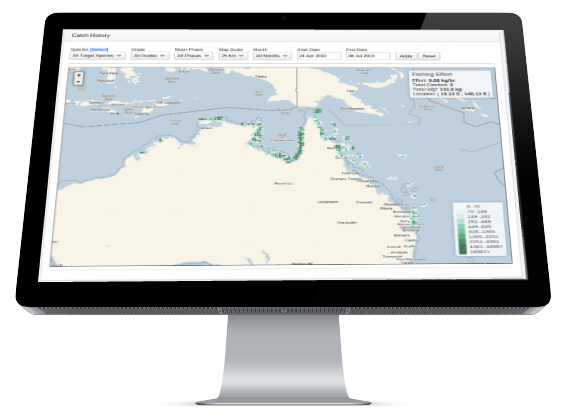
FisheryManager lets you collect fishing data so you can monitor the status of the fishery with ease.
-
Custom Solutions
Let our experienced team build the solution for you.
What do we offer?
We deliver reliable and easy to use software for e-reporting, analysis and
management of your commercial fishing vessels.
Our software is designed to lower your costs, save you time and take the
headaches out of managing your fleet.
We have excellent support and strive to keep our customers satisfied!
Our team of developers are working around the clock to make sure the software we provide is reliable, up to
date and has all the features you require.
Our motto: "Software designed by Fishermen for Fishermen".
Why Use Catchlog?
- No more of filling out paper logs for fisheries
- Help find your next catch
- Support when you need it
- Get up to-date information and analysis
- Improve efficiency of your vessels
- See how your fleet is performing
- Keep in touch with your vessels
- Filter your catches by moon phase
What do I get?
- E-logs
- Catch management
- Landing mangement
- Expenses and fuel usage
- Historical analyses
- Mapping
- Charts and reports
- Quota management
- Food safety management
- Communication with your vessels
- Excellent support
Certifications
U.K. CatchLog meets the UK Fishing Vessel’s Electronic Logbook Functional Requirement Specification ERS 3.1 which encompasses the way data is used to process, store, record and send to the Fishing Authority.
Australia CatchLog is approved and meets the requirements set out by the Australian Fishing Management Authority (AFMA). Our program is certified for:
- EDSEINE
- EGNET
- ELINE
- EPRAWN
- ETRAWL
Our program also works together with AQIS for Food Safety Management, necessary for the fishing industry that exports their products.
What Fishermen Say
"CatchLog is the way of the future for the fishing industry. I think every fisherman should give this program a go. Even those that may not be completely comfortable with technology will soon discover that CatchLog is a program that is so easy to operate and it will make their job a lot easier for them. CatchLog lets you enter your catch records quickly and easily and then retrieve this information at the click of a button.
I like to wait till I’m on anchor and then feed the data from the previous night into the system, but if you have a computer on board separate to your plotter you can just have it open 24/7 and enter the information in directly each shot if you prefer.
To me a program like CatchLog makes good sense for me as a skipper and for our fishing company too."
Charlie Fuss, Skipper, Comac Endeavour
"I have been using CatchLog for the past two years and went full on with it last year when we started using it as our sole logbook with data being sent to AFMA via the program.
It is great to do away with the paper records and we got a good report back on our logbooks from AFMA. CatchLog is fairly easy to use, especially if you have a bit of computer experience behind you already. Even someone green to it can learn it in a few days.
There was good support too, with help just a phone call away and any problems sorted out very quickly. I found the whole program useful. It is excellent to have all the data available and calculations made for you the click of a button. I have just started to use it for vessel management as well as logbooks and when you know your prawn price CatchLog can work out all your crew deductions and payments. I recommend CatchLog to other fishermen as an invaluable tool for the industry"
Con Triantopoulos, Skipper, Dampier Pearl
"Since I started using CatchLog 12 months ago it has proven itself to be one of the most useful tools on board the boat.
I have five key applications for CatchLog:
- sending my data to AFMA every fortnight via email;
- sending regular Total on Board to our export company;
- sending weekly catch details to the vessel owner;
- recording all catch details for my own use for fishing and accounting;
- and recording crew deductions.
CatchLog is so simple and user friendly. Why would anyone still fill out the 4 or 5 paper logs required in our fishery, when they can do it all so quickly and easily using CatchLog? Instead of being a tedious chore, CatchLog makes you want to enter your catch data because it shows you instantly exactly how your vessel is traveling. If you enter a product price you can even get the dollar value for your catch.
The CatchLog back up and customer service is fantastic too, with support at hand whenever you need it and feedback on the program welcomed and taken into consideration for new versions. I highly recommend CatchLog to any fisherman, whatever sector of the industry they are working."
Matthew Smith, Skipper, FV Cenator
"The Raptis Group is pleased to say we are one of the first customers to install the CatchLog program on its fleet of vessels and have been active users of the product now for three seasons. During this time, we have supported Dieter Bohm and his CatchLog team to bring the product to market, inputting to the product development schedule by offering our customer requirements and giving valuable feedback on actual field usage. While this development has occurred, the Raptis Group has received value from the product that I can say has been demonstrated through increased productivity for our skippers so they can concentrate on fishing rather than administration....
To the best of our knowledge, there is no product on the market that matches CatchLog’s functionality and while they continue to work closely with companies such as Raptis, it would appear that CatchLog will remain the market leader for vessel management systems in the commercial fishing industry for some time to come."
Phil Robson, Raptis Fleet Master
“Since leasing the CatchLog Fleet Manager program for our three vessel company we have been able to manage our catch break up and our vessels’ break-even position on a daily basis. Our sales team can now market our product down to the number cartons in each species and grade before the product is landed. The progressive catch total allows us compare our performance at any time of the month or year to budget. Fleet Manager also lets us manage our expenses on a per-vessel basis, right down to where on the vessel it was spent. The charts and reports are a great way to show the skipper and our company shareholders where the costs are and where profits are being made or lost. As the program is run using the cloud storage system it allows me to set individuals up with different levels of usage in the program and they can access it via their own computer, wherever that maybe.
At the end of the day I now have a complete management system that allows me to manage our vessels for maximum performance and profitability. Our shareholders are now more aware of their investment on a daily, weekly or monthly level, depending on their particular requirement. We are also working closely with the CatchLog management team in developing the program further on a daily basis to make it even more impressive.”
Michael O’Brien, Tropic Ocean Prawns
“For our company the advantages of using CatchLog Fleet Manager are:
- No more asking for Total on board on Monday morning.
- Checking catches and packaging is simplified (i.e. that correct grades and species are going into the right carton - e.g. we had crew packing shrimps 10/20 into12kg set weight where our customer wanted it in bulk so with a quick phone call I could correct this mistake immediately, thereby eliminating a problem coming up at the cold stores weeks later.
- Sending out the PDF unload reports to customers before the product is in the cold stores which gives you a edge on the competition because you can include your total stock on hand, e.g. one customer asked for grade;21/30 shrimp. I had none in the cold stores but using Fleet Manager I can confirm I have 350 kg on the mother ship due in port on Thursday and I can make the sale.
Before Fleet Manager I had to wait till the end of the season and for the vessel returned to port before I could download the catches from the onboard computer. Now I can see easily see the catch on any given day. If a customer complains about a product i.e. size or quality (e.g. loose head or black spot) I can enter the catch date into Fleet Manager, check the position of the vessel and how much was caught that day. E.g. if a customer buys 4 tons of shrimp and finds some product with a problem I can check the catches for that date and offer an appropriate price reduction only on the amount caught that day, rather than on the whole order. Owners overseas can monitor the catches via the internet eliminating expensive sat phone calls.
Fleet Manager for Ruby Marine is all about how we can use the program to boost sales and marketing.”
Paul Baetson, Ruby Marine Engineering
Fleet Manger has made the task of Landing Declarations straight forward and easy and can be done in five minutes, with all the additional features FM offers you can have all the information you could ever want on your fleet.
CatchLog 4 has turned electronic reporting into an easy task, simple non confusing interface and straightforward options. You don’t need to be a computer wiz to operate CatchLog.
Adam Doyle, W. Stevenson & Sons Ltd